
Incoming and outgoing calls
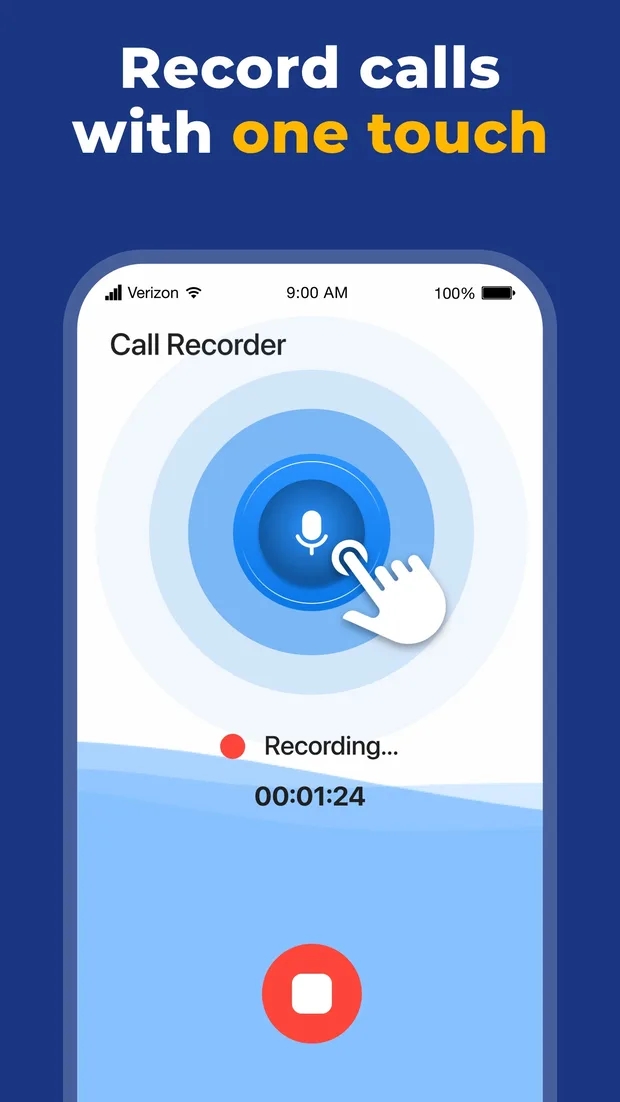
Record either direction. The recording starts from the app and runs until you stop it, with a live timer so you always know it is running.
IPHONE · BUSINESS
Call Recorder captures incoming and outgoing calls, files them in a searchable history with names and durations, and lets you play any of them back, rename, share or delete.
Recording calls is regulated. You are responsible for obtaining consent where the law requires it.
HOW THE RECORDING HAPPENS
This is the part most recording apps leave vague. Here is the whole mechanism, plainly.
Open the app during or before the call and start the recording from there. There is no switch inside the iPhone dialler, because iOS does not expose one.
A second call is placed to the line that does the recording. You will see it happen — nothing is hidden from you or from anyone else on the call.
The recording line joins the conversation the same way a third person does in a three-way call. Your carrier has to support conference calling for this to work.
When you stop, the recording appears in the call history with the contact or number, the date, the time and the length, ready to play back, rename, share or delete.
BEFORE YOU RECORD
Consent is your responsibility, not the app's.
Laws on recording telephone conversations vary widely. Some countries and US states require every participant to consent; others require only one. Some allow recording for personal use but restrict sharing. Call Recorder does not and cannot determine what applies to your call.
WHAT IT DOES
Record either direction. The recording starts from the app and runs until you stop it, with a live timer so you always know it is running.
A single large control starts the recording and an equally large one stops it. Nothing to configure mid-call, which is exactly when you cannot configure anything.
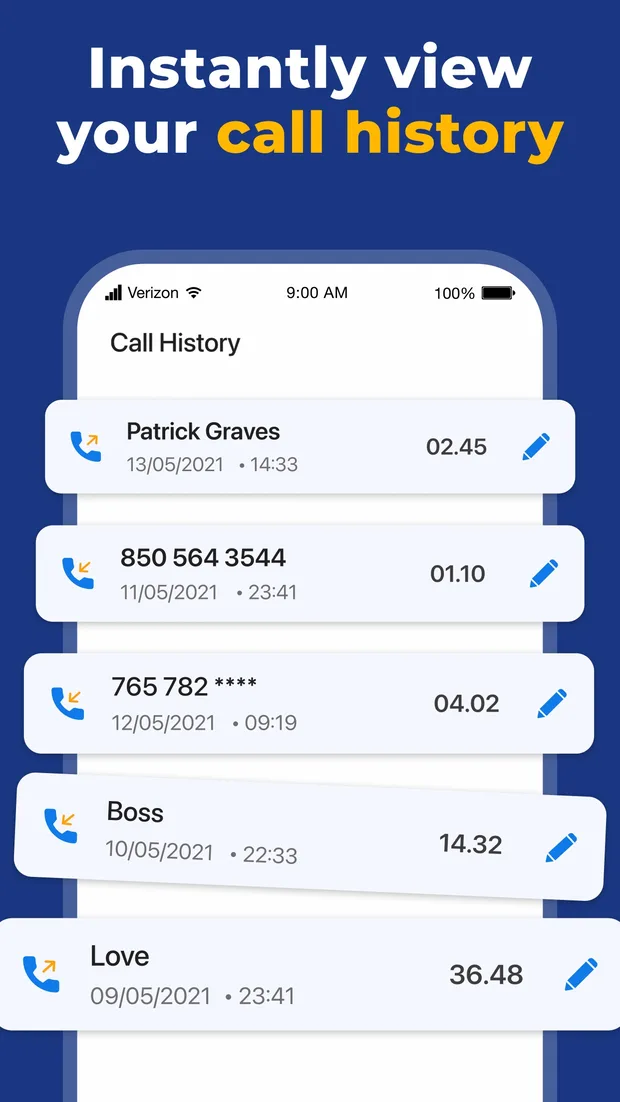
Every recording is listed with the contact name or number, the date, the time and the duration. Search finds the one you mean without scrolling.
A number tells you nothing three weeks later. Rename any recording to what it was about, and it stays findable.
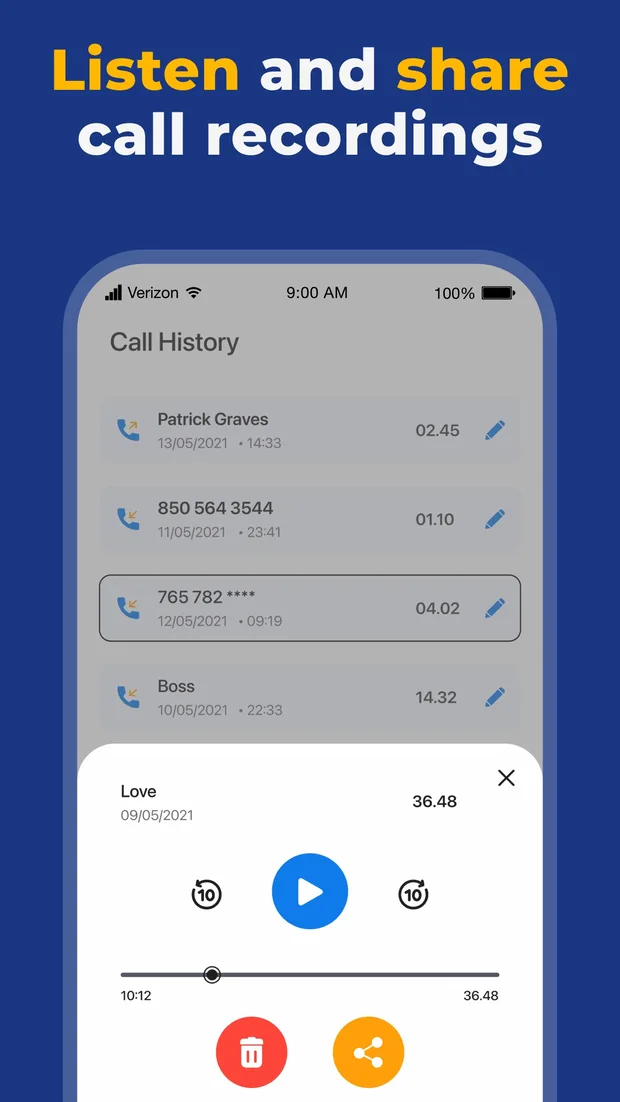
Play, pause, and skip back or forward ten seconds at a time — the control you actually need when you are trying to catch one sentence again.
Send a recording where it needs to go, or remove it for good. Both are one tap from the player.
IN THE APP
Each recording with its contact name or number, date, time and duration — and a pencil to rename it.
Play, skip ten seconds either way, scrub to any point, then share the recording or delete it.
PRICING
Download and try the app for free. Premium is an auto-renewing subscription; pick the term that suits you.
$3.99/ week
approx. $17.35 / month
No trialcom.grabcall.weekly
$24.99/ month
approx. $24.99 / month
No trialcom.grabcall.monthly
$39.99/ 6 months
approx. $6.67 / month
No trialcom.grabcall.sixMonths
$49.99/ year
approx. $4.17 / month
No trialcom.grabcall.yearly
Payment is charged to your Apple ID at confirmation of purchase. The subscription renews automatically unless it is cancelled at least 24 hours before the end of the current period; your account is charged for renewal within the 24 hours before the period ends. Manage or cancel your subscription in your App Store account settings. Any unused part of a free trial is forfeited when you buy a subscription. See the Terms of Use and the Privacy Policy.
FAQ
iOS does not give apps access to the audio of a native phone call. No app on the App Store can tap that stream directly. Recording apps work around it by bridging the call to a separate line, which is why the flow involves an extra call rather than a single button inside the dialler.
It depends entirely on where you and the other party are. Some jurisdictions require all parties to consent, some require only one, and some allow recording but restrict what you may do with it afterwards. Check the rule that applies to you before recording, and announce the recording when consent is required.
Recordings are kept so that you can play them back in the app's history. See the Privacy Policy for exactly what is stored, where, and for how long.
Yes. Tap the pencil next to any entry in the call history and give it a name that will still make sense to you in a month.
Open the recording and use the ten-second skip controls, or drag the scrubber. The skip buttons are usually faster than scrubbing for anything under a minute away.
Subscriptions are handled by Apple. Open the Settings app, tap your name, tap Subscriptions and cancel Call Recorder there. Cancel at least 24 hours before the current period ends to avoid the next renewal.
Sign in with the same Apple ID you used to buy the subscription and use Restore Purchases in the app.
Deleting from the player removes the recording from your history. The Privacy Policy describes what happens to any copy held on the service side and how to request its removal.
GUIDES
What iOS allows, what the law requires, and what that means for your recordings.
2026-09-18
With a conference-line recorder, the recording is made on a server, not on your phone. Here is what that means for where it lives, who could reach it, and what delete actually does.
Read the guide →2026-08-11
Making a recording and sharing it are separate acts, and the second can carry more legal weight than the first. What to check before you send one, and safer ways to share what a call established.
Read the guide →2026-07-22
Journalists, researchers and hiring managers record calls for the same reason: to listen properly instead of writing. How to set up, how to ask, and how to turn the recording into something you can quote.
Read the guide →MORE GUIDES